Find coaches faster
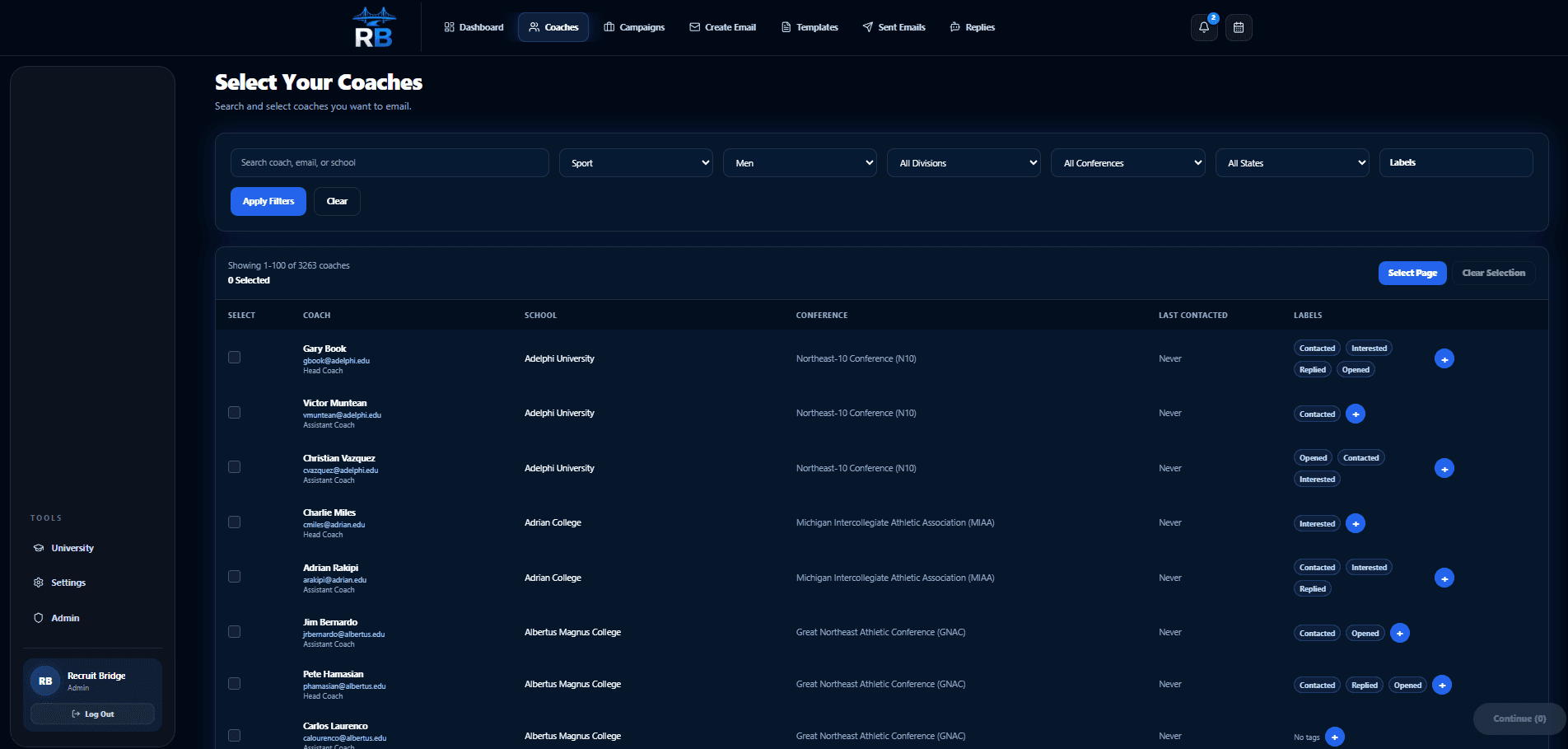
Turn hours of searching into a focused coach list filtered around your recruiting goals.
Search college coaches, create personalized recruiting emails, organize your outreach, and track engagement—all from one place.
Create your account, choose the plan that fits, and start organizing your recruiting process.
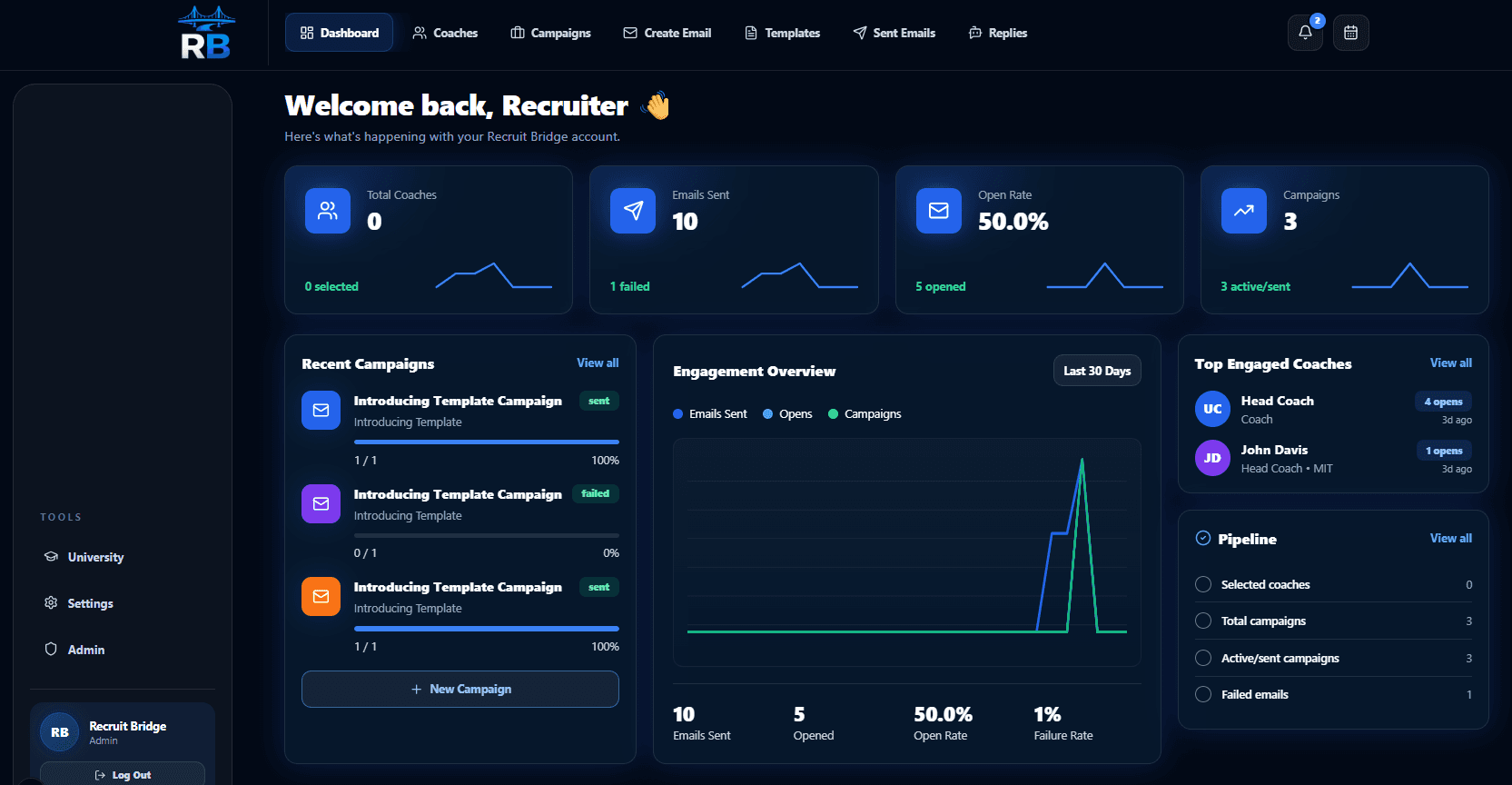
Your time back. Your plan in view.
Every coach, campaign, and next step
Find faster
Spend less time searching for coach contacts
Write less
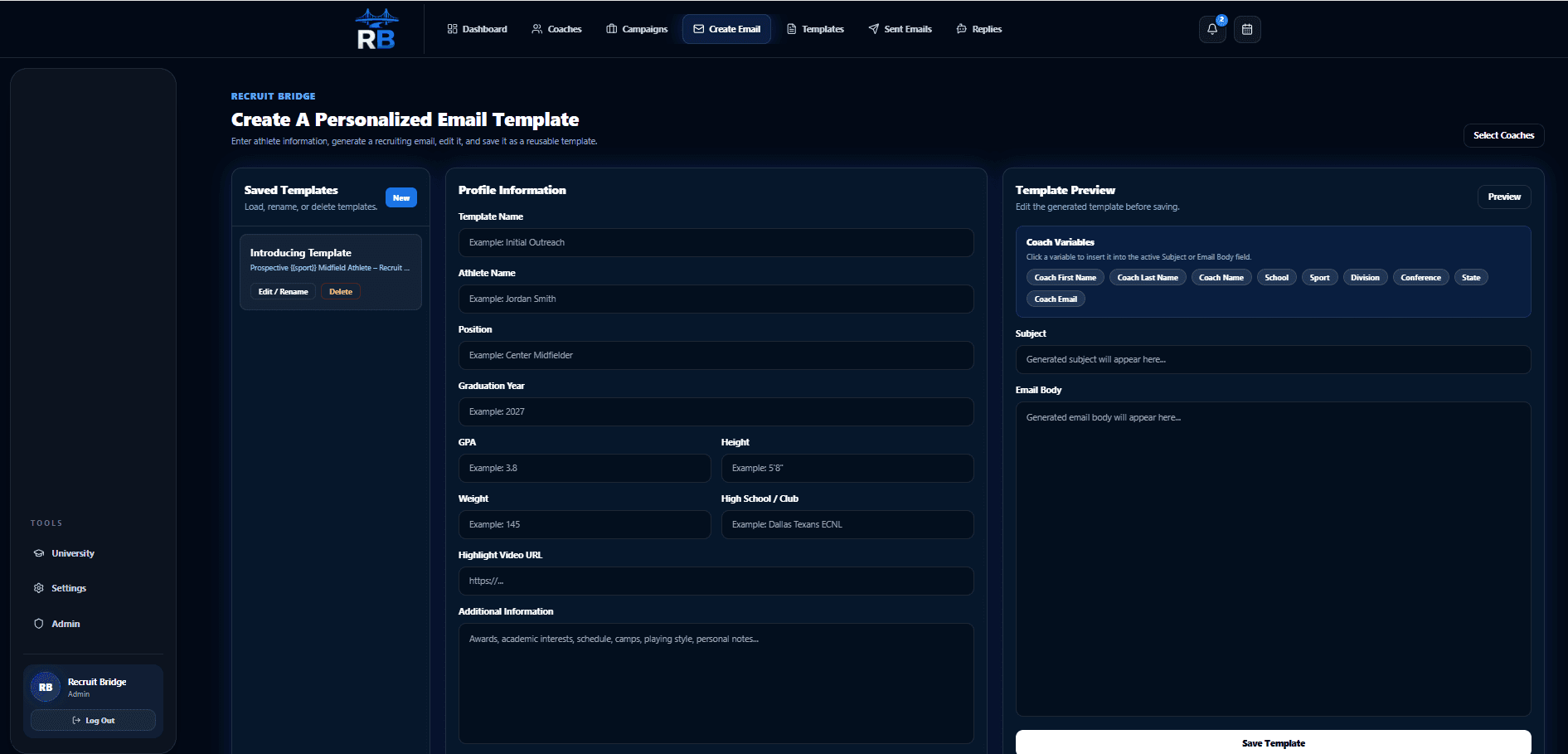
Personalize outreach without starting over
Know more
See your history and engagement in one place
The hidden workload of recruiting
The hours spent searching, rewriting, checking, and tracking add up. RecruitBridge turns that administrative burden into one organized process—reducing stress while helping every outreach effort feel more intentional.
Hours lost searching school websites for the right coach contacts
The stress of rewriting and checking every recruiting email
Outreach scattered across spreadsheets, inboxes, and notes
Worrying that the wrong coach or school name could slip through
Why RecruitBridge exists
RecruitBridge grew from a real recruiting mistake: an email went to the wrong coach and even mentioned the wrong school. It was a painful reminder that families were being asked to manage too many important details across too many disconnected tools.
We built a better way to stay organized, communicate confidently, and help other families avoid the same mistake.
How RecruitBridge works
A simpler path from finding coaches to sending thoughtful outreach and knowing what comes next.
Turn hours of searching into a focused coach list filtered around your recruiting goals.
Build a strong recruiting message once, then personalize it for every selected coach.
Review your coach list and message, then launch outreach when you are ready.
See outreach history and engagement without rebuilding the story from scattered tools.
One platform. Less mental load.
RecruitBridge gives athletes and families one place to manage the outreach that would otherwise consume nights, weekends, and attention.
Stop wondering who was contacted, what was sent, or what happened next. RecruitBridge keeps your outreach visible so you can move forward with confidence.
Replace hours of searching school websites with a focused process for finding and organizing the college coaches who belong in your outreach plan.
Give each coach a thoughtful, personalized email without rewriting the same introduction again and again—or risking a careless copy-and-paste mistake.
Create your account and turn scattered outreach into a clear, repeatable process.
Early testimonial placeholders
Placeholder examples below show where verified athlete and family feedback will appear.
“RecruitBridge saved us hours every week during recruiting. Everything stayed organized and we finally knew which coaches we had contacted.”
“Instead of spending hours searching for coach emails, I could focus on improving my game.”
“The recruiting process became much easier to manage once everything was in one place.”
More time. Less stress. Shared confidence.
Athletes get a process they can own. Parents get a clearer view of the work being done. Everyone spends less energy managing details and more energy supporting the journey—without promises no platform can honestly make.
Explore plans and pricingStop rebuilding every message and retracing every recruiting step.
Keep the details together instead of carrying the whole process in your head.
Build a focused coach list and see exactly what outreach has already happened.
Choose your contacts, review your message, and decide when you are ready to launch.
Confidence before commitment
No. You choose the coaches, review your message, and decide when to launch. RecruitBridge saves time on the repetitive work without taking away your control.
Yes. You can review your recruiting email before using it in a campaign, helping you communicate with confidence.
RecruitBridge supports connected Google and Microsoft email accounts for recruiting outreach.
RecruitBridge records outreach history and email-open engagement. Open tracking is a useful signal, but email providers may limit its accuracy.
Available sports are managed by RecruitBridge and shown during signup, so you can confirm current availability before choosing a plan.
Yes. Subscribers can manage plan changes and cancellation through the secure billing portal in their account.
Looking for more details? Visit the full FAQ
Create your RecruitBridge account and turn coach outreach into a process that feels clear, organized, and manageable.
Get Started